
Original mix
The same 12-second song excerpt before separation.
Source mix12s demo
Choose a song from your library to generate stems.
Post-generation stem editing
Move from a finished generated song to separated parts. Instead of treating the mix as one locked file, inspect vocals, rhythm, instruments, and ambience as their own layers.
Mixer and Stem Preview
After separation, use the stems like a working mix: focus on one part, mute a layer, compare balance, or export files for the next production step.
Original mix
The same 12-second song excerpt before separation.
Lead vocals
Main vocal phrasing isolated from the full mix.
Drums
Kick, snare, and groove separated for rhythm edits.
Bass
The low-end line exposed for remixing and mix balance.
Every Layer Shines(Other).mp3
Remaining textures and harmonic layers from the same excerpt.
Every Layer Shines(Guitar).mp3
Guitar accents separated from the arrangement.
Every Layer Shines(Piano).mp3
Chord movement and piano detail isolated for review.
Before you split
Upload audio from your device or choose a song from your library. Processing requires a paid plan. Creates exactly six tracks: Vocals, Drums, Bass, Other, Guitar, and Piano.
Upload audio from your device or choose a song from your library. Processing requires a paid plan.
Each run targets Vocals, Drums, Bass, Other, Guitar, and Piano so you can review the parts that matter for your next edit.
If the original track has no clear bass, drums, vocal, or texture layer, the related stem may be quiet or less useful.
Library song workflow
Use a generated song from your library, run the split, then review the parts that matter for your next edit.
Pick the AIMusicGens track you want to inspect, remix, or prepare for deeper production.
Create a stem pack that targets Vocals, Drums, Bass, Other, Guitar, and Piano.
Open My Songs after processing, listen to the finished stem files, and move useful layers into your next editing workflow.
Choose the right split
If you only need one vocal track and one instrumental backing track, Vocal Remover is usually the faster fit.
Post-generation stem control
Stem Splitter comes after AI Music Generator or AI Song Extender: keep the finished mix as the source, then open the individual parts when the arrangement is ready for deeper editing.
Start from one saved song and review the original audio beside separated Vocals, Drums, Bass, Other, Guitar, and Piano files when those parts exist in the mix.
Split a saved songUse separated layers to hear what is carrying the song, isolate a rhythm or hook, rebalance dense sections, or decide whether Vocal Remover is enough for a simpler two-track job.
Try the stem demoKeep the generated song, the extended version, and the stem pack connected in My Songs so useful layers can move into remix drafts, rehearsal mixes, edits, or DAW sessions.
Open My SongsPractical production uses
Separated stems are useful whenever the final song is close, but the mix needs more focused review or creative reuse.
Start from isolated hooks, bass, drums, or textures and build a new version around the strongest element.
Listen to vocals, rhythm, and harmony separately to understand what makes the arrangement work.
Make background versions, loopable moments, or cleaner cue edits from music already in your library.
AIMusicGens workflow
Use Stem Splitter as one step in a broader AI music suite: remove vocals, generate instrumental ideas, or create a stronger source song first.
Use Vocal Remover when the job is a faster two-track split instead of full multi-part separation.
Use Text to Music to create background music and instrumental foundations before deeper editing.
Start in AI Music Generator when you still need the original vocals, arrangement, and full track before splitting stems.
Upload audio from your device or choose a song from your library. Processing requires a paid plan. Creates exactly six tracks: Vocals, Drums, Bass, Other, Guitar, and Piano.
Vocal Remover is focused on two outputs: Vocals and Instrumental. Stem Splitter targets a broader set of stem families: Vocals, Drums, Bass, Other, Guitar, and Piano.
Creates exactly six tracks: Vocals, Drums, Bass, Other, Guitar, and Piano.
A stem file only contains meaningful audio when that kind of sound exists in the source song. If the track has no clear bass, vocal, drum, or texture layer, the related file may be silent, quiet, or less useful.
Yes. Exported stems can be moved into common DAW and editing workflows for remixing, practice mixes, arrangement review, and additional production work.
No. Upload audio from your device or choose a song from your library. Processing requires a paid plan.
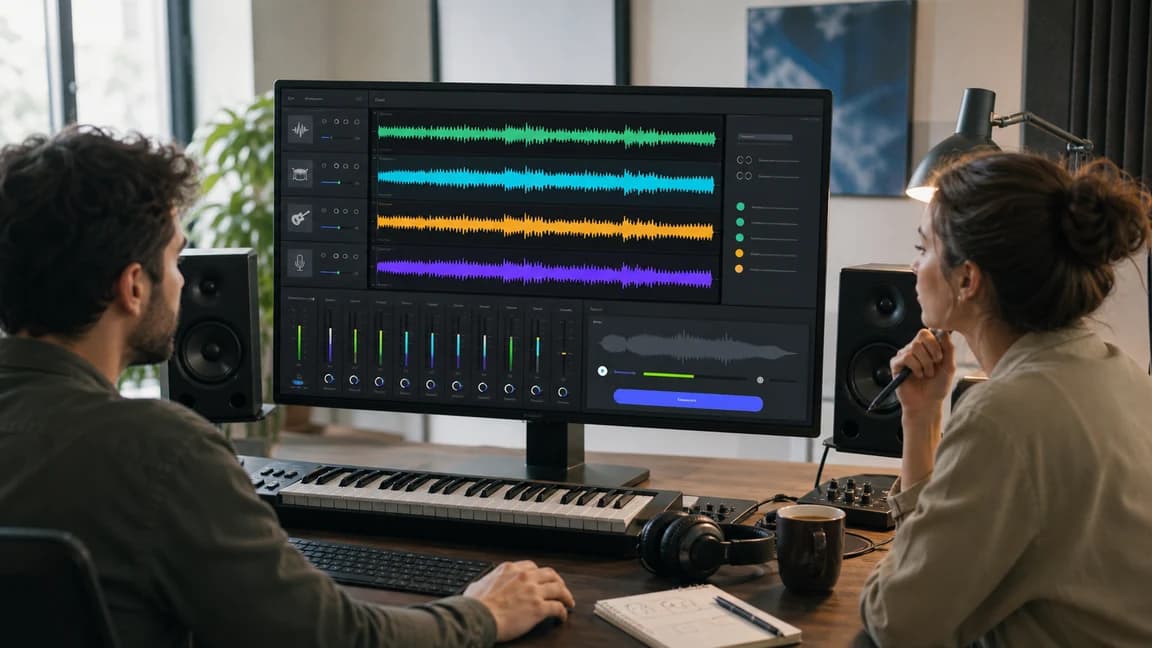
Choose a completed source song from your library, generate separated parts, and open My Songs when processing finishes to continue editing the mix.
Creates exactly six tracks: Vocals, Drums, Bass, Other, Guitar, and Piano.